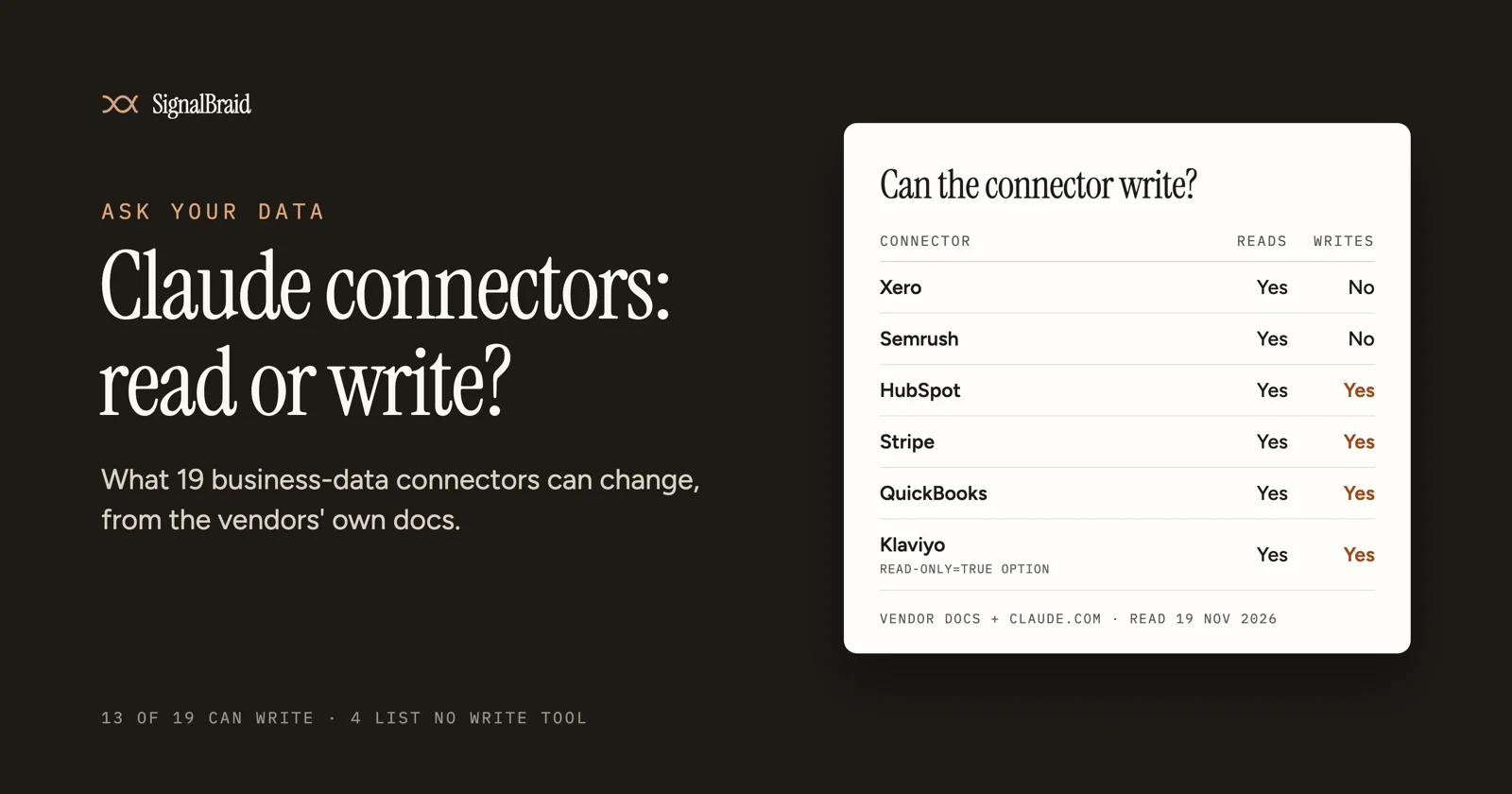
Connector details from Anthropic's Claude Marketplace and Help Center and from each vendor's own documentation, read on 19 November 2026. Vendors change their tools often. Check the vendor's page before you rely on any detail.
Connecting Claude to HubSpot takes a few clicks, and the connection can edit your deals as well as read them. Most connectors for business data work the same way: of 19 we checked against vendor docs on 19 November 2026, 13 can change something in the connected app.
Anthropic's directory shows each connector's tool names, not what each tool is allowed to change. This list adds the missing column for marketing, revenue and finance data: what each connector reads, what it can write, and the switch, where one exists, that keeps it read-only.
Quick overview
Claude connectors let Claude read data from, and often act in, apps such as HubSpot, Stripe and Shopify. Anthropic's directory listed 1,167 of them on 19 November 2026. For business data, the column that matters is write access: Xero, Semrush and Polar Analytics only read, while HubSpot, Stripe, QuickBooks and Klaviyo can change records. SignalBraid (signalbraid.com), a read-only data hub with an API and MCP access, has no Claude connector yet.
Last checked against claude.com, Anthropic's Help Center and each vendor's docs on 19 Nov 2026
Key takeaways
• Anthropic says connectors let Claude access your apps, retrieve your data and take actions in them. Its directory listed 1,167 connectors on 19 November 2026.
• Of 19 connectors for marketing, revenue and finance data we checked, 13 can change something in the connected app, 4 list no write tool, Coupler.io can change only its own data flows, and Ahrefs could not be verified.
• Xero's connector is read-only by design: Xero says Claude "can't create, edit, approve, reconcile or pay in Xero."
• Some vendors ship a read-only switch: Klaviyo's read-only=true and PostHog's readonly=true URL parameters, a deny policy on BigQuery's execute_sql tool, and Supermetrics write access, which stays off until someone switches it on per ad account.
• On Team and Enterprise plans, owners can set each connector's permissions to Always allow, Needs approval or Blocked, grouped into read-only tools and write or delete tools.
• The directory listed no Google-built connector for GA4, Google Ads or Search Console on 19 November 2026. Google's own Google Analytics MCP server is read-only and runs on your machine.
• SignalBraid has no public MCP endpoint, and its docs list Claude as Untested, so it is not a Claude connector today.
This guide covers what Claude connectors are, which plans can use them, what data they reach, a read and write table for 19 business-data connectors, the GA4 and Google Ads gap, how to keep a connector read-only, and six steps to choose connectors for business data.
What Are Claude Connectors?
Claude connectors are integrations that give Claude access to an outside app's data and, in many cases, its actions. Anthropic's Help Center says they let Claude "access your apps and services, retrieve your data, and take actions" in those services.
There are three kinds:
- Directory connectors are pre-built and listed in the Connectors directory on claude.com/marketplace. Each listing names the maker, the connector URL and the tools.
- Custom connectors are any remote MCP server you add by its URL. Anthropic lists them for Free, Pro, Max, Ultra, Team and Enterprise plans, and limits Free users to one.
- Desktop extensions install into Claude Desktop and are available to all Claude Desktop users.
Every directory listing in our tables carries an "Anthropic verified" label. The label says nothing about permissions: the same pages say Anthropic does not control which tools a developer makes available and "cannot verify that they will work as intended."
Which Claude Plans Can Use Connectors?
All of them, with limits. Anthropic says web connectors are available to all users on Claude, Cowork, Claude Desktop and Claude Mobile, and custom connectors on every plan from Free to Enterprise, with Free limited to one custom connector.
Vendors add their own conditions. HubSpot's connector needs a paid Anthropic plan (Pro, Max, Team or Enterprise). Ahrefs' needs an Ahrefs plan from Lite up, and every call spends Ahrefs API units. Mixpanel needs an organization admin to switch MCP on, except on Free and Growth accounts created after 1 August 2026, where it is on by default.
What Data Can Claude Access Through Connectors?
Whatever your own account can reach in the connected app, through the tools the connector offers. Anthropic says Claude "inherits each person's permissions from the connected service," and that restricting actions in Claude only narrows that access.
Two things decide what a connector can do: the tool list the vendor publishes and the permissions you grant when you sign in. A HubSpot user who can edit deals hands the connector a tool that can edit deals. Anthropic's own note says that connecting grants Claude permission to access "and potentially modify data" in the service.
Reading is still access. A connector that can't change a record can still repeat, summarize or pass on whatever it reads in the same chat. We set out where that boundary sits in Why SignalBraid's AI Access Is Read-Only, on Purpose.
Which Claude Connectors Read Business Data, and Which Can Write?
Thirteen of the 19 can change something in the connected app. The tables group them by the data they reach. "Write tools" means a tool on Anthropic's listing, or in the vendor's docs, that creates, updates, deletes or sends. Every cell comes from the connector's page on claude.com/marketplace and the vendor's own documentation, read on 19 November 2026.
Marketing and Analytics Connectors
Connector | What it reads | Write tools | Read-only control |
|---|---|---|---|
HubSpot | CRM records, engagement history, campaign and marketing email analytics | Yes. Creates and updates CRM records and marketing emails. No deletes | No read-only mode described. HubSpot points to the Needs approval setting for write tools |
Klaviyo | Campaigns, flows, metrics, profiles, segments | Yes. create_campaign, update_profile and subscribe and unsubscribe tools | read-only=true URL parameter, off by default. The directory URL does not set it |
Supermetrics Marketing Analytics | Ad, analytics, SEO and social data from connected platforms | Yes. manage_campaign. Supermetrics says it can shift budgets, pause ads and launch campaigns | Write access stays off until an owner or admin switches it on per ad account |
Windsor.ai and Windsor.ai for Paid Media | Data from Windsor's connected sources, including ad and analytics platforms | Yes. execute_action. Windsor lists 180 write actions across 25 connectors, including pausing campaigns and setting budgets | Not stated on the Windsor pages we read. Not verified |
Coupler.io | Data sets from your Coupler.io data flows | Not on your rows: "Queries are read-only." Coupler's docs list tools that create data flows and change schedules; Anthropic's page lists four read tools | Not stated |
Polar Analytics | Commerce metrics and dimensions from Polar's semantic layer | No. Polar describes the connector as read-only | Read-only by vendor design |
Ahrefs | Keywords, backlinks, rankings, site audit, Brand Radar and Search Console data | Not verified. The page lists 24 of 61 tools; the docs list a management group for projects and keyword lists without saying which tools write | A tools URL parameter limits which tool groups load |
Semrush | SEO, traffic, competitor and Projects data | No. Projects access is read-only: no new projects, no settings changes | Read-only by vendor design |
Similarweb | Website and app traffic, audience and market data | None listed. All 22 tools on Anthropic's page read | Not stated in Similarweb's docs. Not verified |
Mixpanel | Events, funnels, retention, session replays | Yes. Mixpanel says the assistant can read and write: Lexicon edits, dashboards, tags | No read-only mode described. Changes go to the audit log |
Amplitude | Charts, dashboards, notebooks, experiments, cohorts, events | Yes. Creates and edits charts and dashboards; creates, updates and deletes events and properties | Write calls need the "Use MCP (write)" role action, set per project |
PostHog | Insights, dashboards, flags, experiments, SQL queries | Yes. Creates, updates and deletes insights, dashboards and feature flags | readonly=true URL parameter or x-posthog-read-only header |
Revenue and Finance Connectors
Connector | What it reads | Write tools | Read-only control |
|---|---|---|---|
Stripe | Customers, charges, invoices, subscriptions, balances | Yes. stripe_api_write covers POST, PATCH, PUT and DELETE methods. Refunds need human confirmation in Stripe | Grant only the permissions the client needs, through OAuth or an agent API key |
Shopify | Orders, customers and analytics (read only), inventory | Yes, once you approve write access: products, inventory, discount codes, collections. It can't issue refunds or cancel orders | Approve read-only access at install. Reducing access later means uninstalling |
PayPal | Invoices, transactions, orders, disputes, subscriptions | Yes. create_refund, send_invoice, pay_order and cancel_subscription are on Anthropic's list | No read-only mode or confirmation step described |
Intuit QuickBooks | Profit and loss, cash flow, balance sheet, receivables, sales | Yes. Creates and updates invoices and customers; deletes an invoice after you confirm | You choose permissions when connecting. No read-only mode described |
Xero | Profit and loss, cash position, invoices, contacts, bank transactions | No. "Claude can't create, edit, approve, reconcile or pay in Xero" | Read-only by vendor design |
Stripe's single write tool covers many actions, so the confirmation depends on the action, not the tool name. We go through each one in Stripe MCP Server: What It Can Read, What It Can Write.
Warehouse and File Connectors
Connector | What it reads | Write tools | Read-only control |
|---|---|---|---|
Google Cloud BigQuery | Datasets, tables and SQL query results | Yes. Google says execute_sql is the only tool that isn't read-only | A deny policy can block execute_sql |
Google Drive | Files and their content, including spreadsheets | Yes. create_file and copy_file; Anthropic's page also lists update_file, share_file and trash_file | None described. Google's reference lists 8 tools and marks the service Developer Preview |
How to Read These Tables
Four cautions before you rely on a row:
- Tool lists change. Anthropic's pages say vendors control their tools, and these were the lists on 19 November 2026.
- Several pages name only the first 24 tools and show a total: 36 for HubSpot, 57 for PostHog, 74 for QuickBooks. Where the vendor's docs fill the gap, we used them. Where they don't, the cell says not verified.
- A write tool still runs under your permissions in the app. A viewer seat can't edit what a viewer can't edit.
- Klaviyo's and PostHog's read-only switches are URL parameters, and the directory versions don't set them. To use one in Claude you would add the vendor's server as a custom connector with the parameter in its URL. We have not tested that.
Is There a Claude Connector for GA4, Google Ads or Search Console?
Not one built by Google, on 19 November 2026. We searched the directory's listings for Google Analytics, Google Ads and Search Console. The matches were third-party connectors, such as Supermetrics, Windsor.ai and Zapier, that reach those platforms through their own accounts. Ahrefs' connector also has a tool group for Search Console data.
Google publishes two servers of its own, and you run both yourself:
- Google Analytics MCP server. Google says it "is currently for read-only requests and cannot modify your Google Analytics settings." It signs in with the analytics.readonly scope and runs on your machine through pipx or uv (page updated 10 November 2026).
- Google Ads MCP server. Its mode is "Read and partial mutate": asset creation, video uploads and label management, with a configurable read-only mode. It cannot create, change, pause or enable campaigns, ad groups, ads, budgets or bids. It runs locally or on Cloud Run (page updated 19 November 2026).
A third-party route puts a vendor's copy of the data between Claude and Google. That copy's refresh time and metric definitions decide what Claude reads, so its answer can differ from the GA4 interface for the same week. What Is Data Reconciliation? explains where those gaps come from and how to check one.
How Do You Keep a Claude Connector Read-Only?
Choose a connector with no write tools, switch writes off at the vendor, or block write tools in Claude. Where you can, use two of the three, because each one fails differently.
Choose a Connector That Only Reads
Xero, Semrush and Polar Analytics describe their connectors as read-only, and Similarweb's 22 listed tools all read. For any change, Xero sends you back to Xero through a link and leaves the edit to you.
Use the Vendor's Read-Only Switch
Where a connector can write, the vendor often offers a way to stop it:
- Klaviyo: add read-only=true to the server URL. The default is false.
- PostHog: add readonly=true to the URL, or send the x-posthog-read-only header. Write tools drop out of the tool list.
- BigQuery: create a deny policy for execute_sql, the only tool Google lists as not read-only.
- Supermetrics: leave write access off. It applies per ad account, and only an owner or admin can turn it on.
- Shopify: approve read-only access when you install. To narrow access later, you uninstall and reconnect.
- Stripe and Amplitude: grant only read permissions, through a Stripe agent API key or OAuth, and by leaving out Amplitude's "Use MCP (write)" role action.
Set Tool Permissions in Claude
On Team and Enterprise plans, owners can set each connector's permissions to Always allow, Needs approval or Blocked, by category (read-only tools, write and delete tools) or one permission at a time. HubSpot warns that with Always allow, "edits may occur without asking for approval."
Don't rely on a tool's label alone. The Model Context Protocol specification says clients must treat a server's tool annotations as untrusted unless the server is trusted. A tool that claims to read is a vendor's statement, not a guarantee. If you need an agent that writes, The Hidden Risk of Giving an AI Agent Write Access to Your Campaigns covers approvals and spending limits.
What You Give Up
Read-only has costs:
- Claude can find the problem but not fix it. A person makes the change in the app, from Claude's draft.
- Approval prompts slow down multi-step requests, and a blocked tool can stop a request halfway.
- URL switches need a custom connector, and Free plans allow one.
- Read-only stops changes, not exposure. Anything Claude reads, it can repeat.
How to Choose Claude Connectors for Business Data in 6 Steps
Run these steps before you connect a system that holds revenue, spend or customer records:
- List your questions and the system behind each answer. "Revenue by plan last month" lives in Stripe or your accounting tool, not your CRM. You should end with one system per question.
- Read the tool names on the connector's page. On claude.com/marketplace, any tool named create, update, manage, delete, send or execute can write. Mark each connector write or no write.
- Read the vendor's MCP docs. Look for a read-only parameter, a default that keeps writes off, and the scopes it requests. Note anything the docs don't state.
- Connect with the least access offered. Approve read-only scopes, use a key with read permissions only, and leave optional write access off. The consent screen should list no write permission you didn't plan for.
- Set write tools to Needs approval or Blocked. Team and Enterprise owners do this per connector. Every write should then wait for a person's approval or not run at all.
- Check one number against the source app. Ask Claude for a figure, then open the app's own report for the same account, date range and time zone. Note any gap and its cause before anyone reuses the answer.
Where SignalBraid Stands
SignalBraid is in development, with access by invitation. It is a read-only data hub, built so every number carries its source account, date range, data-through time and definition version. It is not a Claude connector today. Our MCP docs say: "There is no production MCP endpoint yet." The MCP client page lists Claude as Untested and publishes no Claude setup steps until a recorded test (both read 25 November 2026).
The docs list ten tools. Nine are read-only. The tenth, create_export, only creates a CSV export inside SignalBraid and changes nothing in a connected app. Setup guides for Claude, ChatGPT and Cursor come after each client is tested, not before.
Status on 25 November 2026, from the registry: Google Analytics 4: Planned. Google Search Console: Planned. Google Ads: Not available at launch. HubSpot: Planned. Shopify: Planned · beta. Stripe: Planned. QuickBooks Online: Planned. Klaviyo: Planned. Google Sheets: Planned. The full list is on the connectors page.
Vendor pages last verified: 19 November 2026
Sources (read 19 November 2026)
- Anthropic, Claude Marketplace, "Connectors and plugins" and the connector pages for each connector above. https://claude.com/marketplace/connectors-plugins
- Claude Help Center, "Use connectors to extend Claude's capabilities". https://support.claude.com/en/articles/11176164-use-connectors-to-extend-claude-s-capabilities
- Claude Help Center, "Get started with custom connectors using remote MCP". https://support.claude.com/en/articles/11175166-get-started-with-custom-connectors-using-remote-mcp
- HubSpot Knowledge Base, "Set up and use the HubSpot connector for Claude" (updated 17 November 2026). https://knowledge.hubspot.com/integrations/set-up-and-use-the-hubspot-connector-for-claude
- Klaviyo Developers, "Connect to the Klaviyo MCP server". https://developers.klaviyo.com/en/docs/connect_to_the_klaviyo_mcp_server
- Supermetrics, "Campaign management". https://supermetrics.com/platform/campaign-management
- Windsor.ai, "Windsor MCP" and "Write actions". https://windsor.ai/documentation/windsor-mcp/write-actions/
- Coupler.io docs, "MCP". https://docs.coupler.io/ai/mcp
- Polar Analytics, "Claude integration". https://www.polaranalytics.com/integrations/claude
- Ahrefs docs, "What is Ahrefs MCP" and "Tool Categories". https://docs.ahrefs.com/mcp/docs/tool-categories
- Semrush Developers, "Semrush MCP" (updated 18 November 2026). https://developer.semrush.com/api/introduction/semrush-mcp/
- Mixpanel docs, "MCP". https://docs.mixpanel.com/docs/features/mcp
- Amplitude docs, "Amplitude MCP" (updated 18 November 2026). https://amplitude.com/docs/amplitude-ai/amplitude-mcp
- PostHog docs, "MCP FAQ and advanced setup". https://posthog.com/docs/model-context-protocol/faq
- Stripe docs, "Model Context Protocol (MCP)". https://docs.stripe.com/mcp
- Shopify Help Center, "Shopify connector for Claude" and "Authorizing AI tool access to your store". https://help.shopify.com/en/manual/ai-powered-tools/connecting-ai-tools/shopify-connector-for-claude
- PayPal Developer, "MCP server" (updated 30 June 2026). https://developer.paypal.com/tools/mcp-server/
- QuickBooks Support, "Use the QuickBooks connector in Claude" (updated 28 October 2026). https://quickbooks.intuit.com/learn-support/en-us/help-article/accounting-bookkeeping/use-quickbooks-connector-claude/L3YBlo6Ht_US_en_US
- Xero, "Claude and Xero". https://www.xero.com/us/ai-in-accounting/claude/
- Google Cloud, "Use the BigQuery MCP server" (updated 17 November 2026). https://cloud.google.com/bigquery/docs/use-bigquery-mcp
- Google for Developers, "MCP Reference: drivemcp.googleapis.com". https://developers.google.com/workspace/drive/api/reference/mcp
- Google Analytics, "Google Analytics MCP server" (updated 10 November 2026). https://developers.google.com/analytics/devguides/MCP
- Google Ads API, "Google Ads MCP server" (updated 19 November 2026). https://developers.google.com/google-ads/api/docs/developer-toolkit/mcp-server
- Model Context Protocol specification 2026-07-28, "Tools". https://modelcontextprotocol.io/specification/2026-07-28/server/tools
- SignalBraid docs, "MCP" and "MCP client setup", and the connector registry on signalbraid.com/connectors/, as rendered on 19 November 2026.