Facts from Meta, HubSpot, Google, Stripe, OWASP and the MCP specification, read on 2 November 2026. These servers change often. Check the vendor's page before you rely on any detail.
An AI agent connected to your ad account can do whatever its permissions allow. If your AI agent permissions include writing, the agent can raise a budget, pause a campaign or delete an ad set. It can also do that because it misread a request, or because it read text it was never meant to obey. The risk is not a rogue AI. The risk is that write access turns every mistake into a live change to your account.
What Write Access Means in Practice
Reading lets an agent see your numbers. Writing lets it change what you spend and what runs. The official servers for the main marketing platforms differ a lot here.
Meta's ads MCP server, at mcp.facebook.com/ads, can create and edit campaigns, ad sets and ads, according to Meta's developer docs, and Meta's launch post adds delete. It can also create, update and delete custom audiences. HubSpot's remote MCP server can create and edit CRM records, create and publish landing pages and blog posts, and create campaigns and email drafts. Google's own Google Ads MCP server goes the other way. Google calls it "strictly read-only", and says it "cannot modify bids, pause campaigns, or create new assets."
That last point needs care. The read-only limit belongs to Google's server, not to the Google Ads API underneath, which has endpoints for "creating, updating, or removing campaigns". A Google Ads server built by someone else can write. Check each server's own tool list.
What the Official MCP Servers Can Change (read 2 November 2026)
Platform | Can the official server write? | Control the vendor offers |
|---|---|---|
Meta Ads | Yes. Create and edit campaigns, ad sets, ads and custom audiences (Meta's launch post also lists delete) | Ads MCP server rules can deny an action, such as budget increases above a percentage or amount, or delivery status changes. Meta says rules are in limited availability |
HubSpot | Yes. CRM records, landing pages, website pages, blog posts, campaigns, marketing email drafts | The CRM write tool shows a proposed-changes summary and needs explicit user confirmation. Actions follow the user's own HubSpot permissions |
Google Ads | No. Google's server is read-only | Not needed on this server. The API it uses can write, so other servers may |
Stripe (public preview) | Yes. Any Stripe API POST, PATCH, PUT or DELETE method, such as refunds | Restricted keys with Read or Write per resource, and approval rules for agent keys. Details in our Stripe MCP post |
How Write Access Goes Wrong
OWASP, the open security community, has a name for this risk: excessive agency. It describes an AI application that can take "damaging actions" in response to "unexpected, ambiguous or manipulated outputs" from the model. Here is how that looks on a marketing account.
Text the Agent Reads Can Steer It
An agent reads text nobody on your team wrote. OWASP calls the risk indirect prompt injection, which happens "when an LLM accepts input from external sources, such as websites or files." On a marketing account, that text could be ad copy, search terms, a competitor's landing page or a form submission.
OWASP's own example is an email assistant. It only needed to read mail, but its plugin could also send. A crafted email told it to find sensitive messages and forward them. Swap "send email" for "raise budget" and the shape is the same. Stripe gives similar advice: be careful when its server runs next to other MCP servers, to avoid prompt injection.
A Misread Instruction Becomes a Live Change
Agents misread requests, as people do. Here is an illustrative case, not a real incident. You ask an agent to "pause the ad sets that aren't working." It judges by cost per click while you meant cost per sale, and it pauses your two best ad sets on a Friday evening. With read-only access, the same mistake is a wrong answer you can question. With write access, it is lost delivery until someone notices.
Speed and Scale
A person in Ads Manager changes one thing at a time and sees each result. An agent can make several tool calls in one reply, across campaigns or accounts. OWASP recommends rate limiting to cut "the number of undesirable actions that can take place within a given time period," so monitoring has a chance to catch them.
Weak Audit Trails
After a bad change, you need to know who made it and what it replaced. Platforms do keep records. Google Ads change history covers the past two years, including "when you paused your campaign, who added a keyword, and the amounts of your previous budgets." Meta's MCP server can read an ad account's activity log, which mirrors the Ads Manager campaign history page. Before you rely on them, check how a change made by your agent shows up, and whether you can tell it apart from your own.
Why Tool Labels Are Not a Safety Control
MCP lets a server label each tool. A tool can say it is read-only (readOnlyHint), destructive (destructiveHint) or without extra effect when repeated (idempotentHint). These labels help an AI client decide when to ask you first. When a server sets no label, the specification's defaults assume the tool is not read-only and may be destructive.
The MCP specification is clear that they are not guarantees. All of them "are hints," and they "are not guaranteed to provide a faithful description of tool behavior." It adds that clients "should never make tool use decisions based on ToolAnnotations received from untrusted servers." The specification also says there should always be "a human in the loop with the ability to deny tool invocations." The real limits are the permissions behind the credential and the approvals you require.
A Checklist Before You Give an Agent Write Access
- Start read-only. Most questions an agent answers for a marketer are reporting questions. In Google Ads, the Read-only access level can view campaigns but cannot edit them. Meta's server needs a token granted ads_mcp_management plus ads_read or ads_management. Grant ads_read rather than ads_management: Meta lists each additional permission as enabling more tools.
- Grant only what the task needs. OWASP's advice is to limit permissions "to the minimum necessary in order to limit the scope of undesirable actions." If the agent only adjusts bids, it has no reason to create campaigns or edit audiences. For Stripe keys, our Stripe MCP post shows how to set Read on each resource.
- Test on a separate account first. Use a test ad account or sandbox with small budgets. Run your usual requests, then try a change the agent should not be able to make.
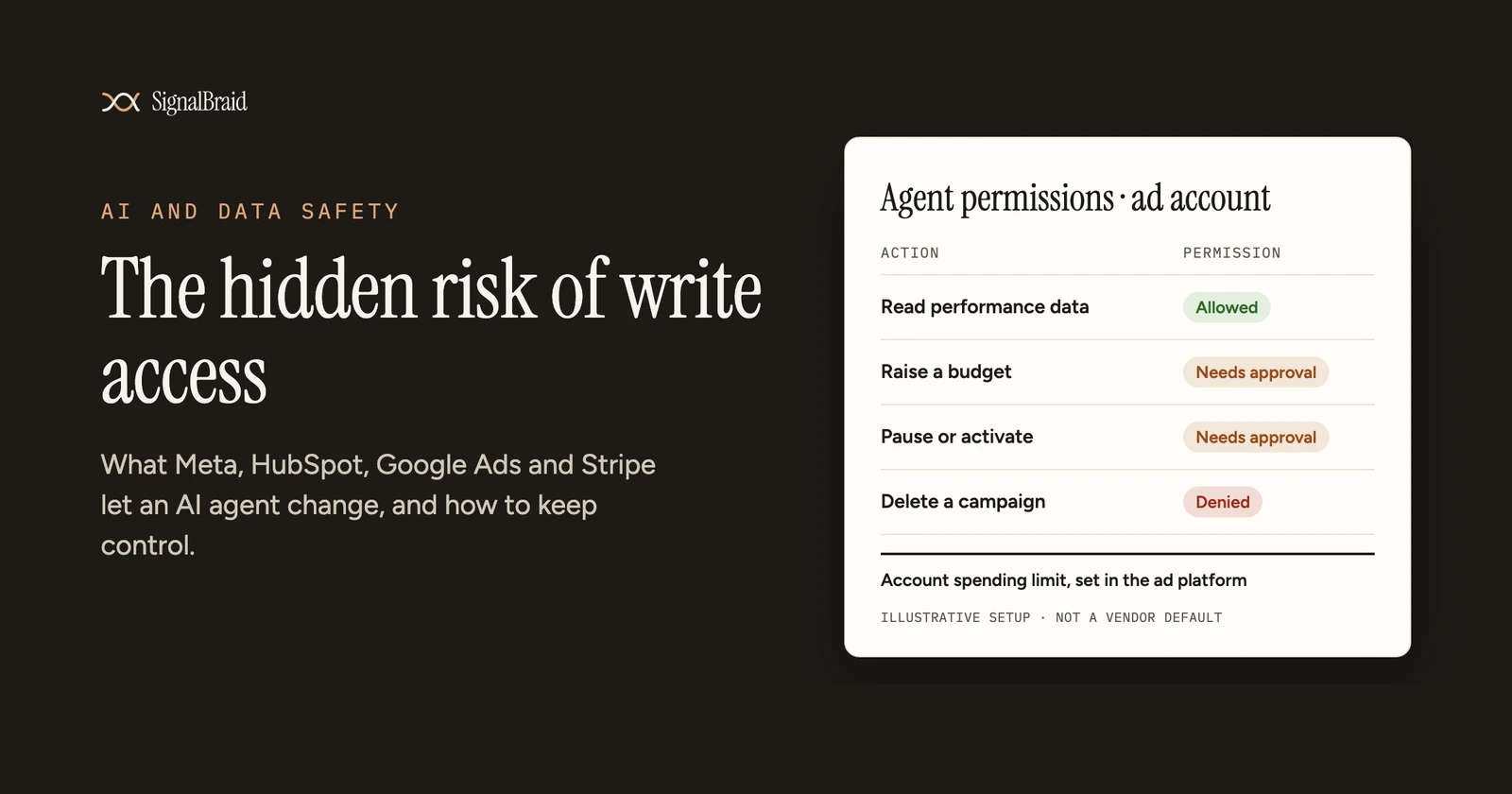
- Require a human to approve writes. OWASP recommends human-in-the-loop control "to require a human to approve high-impact actions before they are taken." Turn on tool approval in your AI client. Where the vendor offers it, use their check too: HubSpot's confirmation step, or Meta's "read-only or approval-required posture" for an account.
- Set spend limits in the ad platform. A cap set in the platform holds whatever the agent asks for. In Meta, once an ad account spending limit is reached, your ads pause and the account stops spending, and only an ad account admin can change the limit. Where your account has Meta's MCP rules, a rule can also deny budget increases above a set percentage or amount.
- Watch change history. Check it daily for the first weeks after you connect an agent. Look for changes you didn't ask for.
- Remove access you no longer use. OWASP warns about a tool that was "trialled during a development phase" and dropped, but "remains available to the LLM agent." Disconnect servers and revoke tokens when a trial ends.
Where SignalBraid Stands
SignalBraid is in development, with access by invitation. Its AI connection is designed to be read-only, with no tool that changes a campaign, a budget or a record. We explain that choice, and what it costs, in Why SignalBraid's AI Access Is Read-Only, on Purpose.
Status on 2 November 2026, from the registry: MCP (AI connection): Planned, read-only. Google Ads: Planned. Meta Ads: Planned · beta.
Vendor pages last verified: 2 November 2026
Sources (read 2 November 2026)
- OWASP Gen AI Security Project, "LLM06:2025 Excessive Agency". https://genai.owasp.org/llmrisk/llm062025-excessive-agency/
- OWASP Gen AI Security Project, "LLM01:2025 Prompt Injection". https://genai.owasp.org/llmrisk/llm01-prompt-injection/
- Model Context Protocol specification, version 2026-07-28, "Tools" (section "User Interaction Model"). https://modelcontextprotocol.io/specification/2026-07-28/server/tools
- Model Context Protocol specification, version 2026-07-28, "Schema Reference" (ToolAnnotations). https://modelcontextprotocol.io/specification/2026-07-28/schema
- Meta for Developers, "Ads MCP Server" (overview, updated 14 July 2026). https://developers.facebook.com/documentation/ads-commerce/ads-ai-connectors/ads-mcp-server/ads-mcp-server-overview
- Meta for Developers, "Get started" (ads MCP server, updated 4 September 2026). https://developers.facebook.com/documentation/ads-commerce/ads-ai-connectors/ads-mcp-server/ads-mcp-server-get-started
- Meta for Developers, "Rules best practices" (ads MCP server, updated 12 August 2026). https://developers.facebook.com/documentation/ads-commerce/ads-ai-connectors/ads-mcp-server/ads-mcp-server-rules-best-practices
- Meta for Developers blog, "Meta's ads MCP server is now available for developers" (16 July 2026, updated 22 September 2026). https://developers.facebook.com/blog/post/2026/07/16/meta-ads-mcp-server/
- Meta Business Help Centre, "Change your ad account spending limit". https://www.facebook.com/business/help/764293677236889
- HubSpot Developers, "Integrate with the remote HubSpot MCP server" (last modified 30 September 2026). https://developers.hubspot.com/docs/apps/developer-platform/build-apps/integrate-with-the-remote-hubspot-mcp-server
- Google for Developers, "Google Ads MCP server" (last updated 30 October 2026). https://developers.google.com/google-ads/api/docs/developer-toolkit/mcp-server
- Google for Developers, "Mutate resources | Google Ads API" (last updated 30 October 2026). https://developers.google.com/google-ads/api/docs/mutating/overview
- Google Ads Help, "About access levels in your Google Ads account". https://support.google.com/google-ads/answer/9978556
- Google Ads Help, "About change history". https://support.google.com/google-ads/answer/19888
- Stripe Docs, "Model Context Protocol (MCP)". https://docs.stripe.com/mcp
- SignalBraid connector and output registry, as rendered on signalbraid.com on 2 November 2026.