Data reconciliation is the work of comparing two records of the same thing and explaining every difference between them. Accountants do it with bank statements. Marketers need it because Google Ads, Google Analytics 4 and every ad platform count your traffic and sales in their own way. Many gaps have a documented cause, and finding it is the job.
Data Reconciliation, Defined
Reconciliation takes two sources that should describe the same events and checks them against each other. The goal is not identical numbers. The goal is numbers you can explain.
In finance the idea is old and strict. A company's ledger says one thing and the bank statement says another. Someone matches each line, finds the missing payment or the double entry, and signs off when the two agree or every difference has a reason.
Marketing data works differently, because there is no single ledger. Google Ads keeps its own record of clicks and conversions. GA4 keeps its own record of sessions and key events. Each is accurate on its own terms. They simply measure different things, at different moments, with different rules.
So reconciling marketing data means three things. You compare the same metric across two sources. You sort each difference into expected (a known difference in definitions), timing (the same event dated differently) or error (something broken, like a missing tag). And you write down what you found, with the date.
Why Marketing Numbers Never Agree
Every platform sees your customer from its own position. An ad platform sees the click. Your analytics tool sees what happens after the page loads. Neither is wrong, but they rarely match.
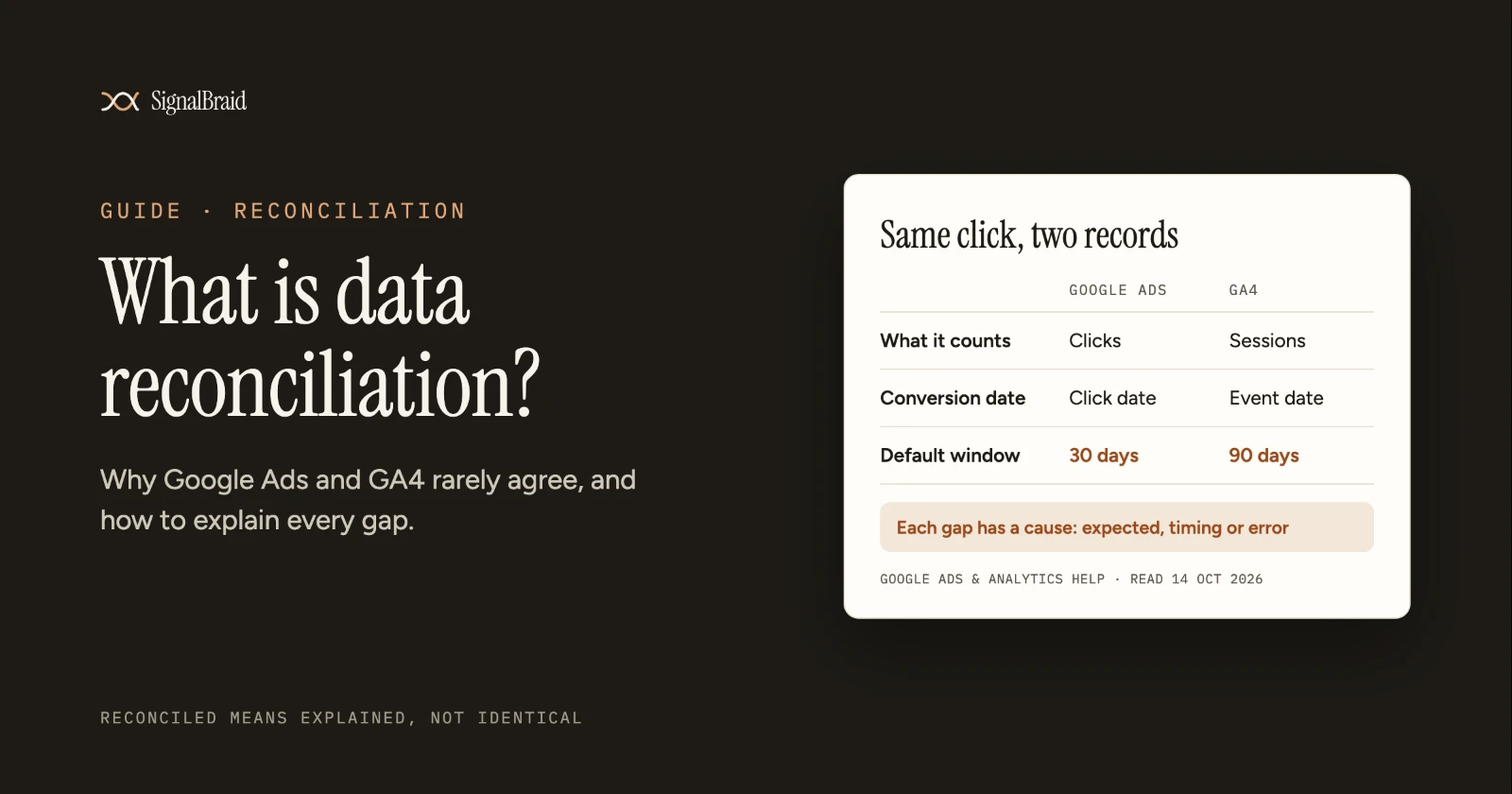
The table below sets out the documented reasons that Google Ads and GA4 differ. Each row comes from Google's own help pages, read on 14 October 2026.
What differs | Google Ads | Google Analytics 4 | What you see |
|---|---|---|---|
What is counted | Clicks on your ad | Sessions and users on your site | Two different metrics, so they rarely match one to one |
Repeat clicks | Two clicks in a short window count as two clicks | A second click within 30 minutes can fall into the same session | More clicks than sessions |
Page does not load | The click is counted | No session if the tag never fires | More clicks than sessions |
Returning visitors | One click | Later visits can still be credited to the original campaign | More sessions than clicks |
Invalid clicks | Filtered out of reports | Sessions are reported | More sessions than clicks |
Conversion date | Date of the click, in the standard columns | Date the key event happened | The same sale lands on different days |
How far back credit goes | Set per conversion action, 30 days by default for Search and Display | 90 days by default for most key events, 30 days for first visits | A late conversion can count in one tool and not the other |
Two rows deserve a closer look. The conversion date row explains many "missing" conversions at the end of a month. A click on 30 September followed by a purchase on 2 October sits in September in Google Ads and in October in GA4. Nothing is lost. It is simply filed under a different day.
The page-load row points to real problems. Google lists redirects that stop the Analytics tag from identifying the traffic, and visitors who leave before the tag loads, among the causes of these gaps. Those are errors, and they are worth fixing.
Other platforms add their own rules. Meta, LinkedIn and TikTok each credit conversions to their own ads within their own attribution windows. Add them together and your channels can claim more sales than your store recorded. Their clicks don't line up with GA4 sessions either; see why Meta, LinkedIn and TikTok clicks never match GA4.
How to Reconcile Two Marketing Sources
Start small. Pick one metric and one pair of sources, such as Google Ads clicks against GA4 sessions from Google paid search. Reconciling everything at once hides the cause of every gap.
Next, line up the frame. Use the same date range, the same time zone and the same date basis. Google Ads offers "by conv. time" columns that date conversions when they happened, which makes them comparable with your analytics tool. Then match the scope. In GA4, filter to the traffic that came from the ads you are comparing, not your whole site.
Then set a tolerance before you look at the numbers. A tolerance is the size of gap you accept as normal for that pair, written down in advance. For example, you might decide that a 10 % gap between clicks and sessions is normal for your account. That figure is illustrative. Set yours from a few months of your own data. Setting it afterwards turns every gap into an excuse.
Now compare. A difference inside the tolerance is expected and needs no action. A difference outside it is a question. Check the error causes first: tagging, redirects, consent settings and linked accounts. Then check timing. Only then accept it as a definitional difference.
Finally, record the result with the date, the sources and the settings you used. Next month you will compare against it, and a sudden change in the gap is often the first sign that something broke.
What "Reconciled" Should Mean
"Reconciled" should not mean "the numbers are identical". Across platforms with different definitions, that is rarely possible. It should mean that every difference is either inside a stated tolerance or explained by a named cause, and that you can show both.
Most guides stop at general causes such as attribution windows and time zones. For a real pair of sources, the useful answer names the exact rule behind each gap, as the table above does for Google Ads and GA4. Treat any tool that promises numbers will always match with some caution, and ask which definitions it chose.
What SignalBraid Does Today
SignalBraid is in development, with access by invitation. It is being built to store each platform's figures with their definitions and dates, and to set sources side by side so a gap can be explained rather than hidden. Nothing in this guide depends on it.
Connector status on 22 October 2026, from the registry: Google Analytics 4: Planned. Google Search Console: Planned. Google Ads: Planned.
Sources (read 14 October 2026)
- Google Ads Help, "Clicks and Sessions Discrepancy for Google Ads and Google Analytics: Troubleshoot". https://support.google.com/google-ads/answer/14452452
- Google Ads Help, "Understand your conversion tracking data". https://support.google.com/google-ads/answer/6270625
- Google Analytics Help, "About Analytics sessions". https://support.google.com/analytics/answer/9191807
- Google Analytics Help, "Change the key event lookback window". https://support.google.com/analytics/answer/16291704
- Google Ads Help, "About conversion windows". https://support.google.com/google-ads/answer/3123169. Read 15 October 2026.